
Leaves of absence
Let drivers request time off the road, review the requests as staff, and see who's away on the team calendar.
How leave works
Real life comes first. A leave of absence (LOA) lets a driver say "I'm away from these dates to these dates" so nobody chases them for inactivity — and so activity-based features treat the absence fairly. Drivers request leave from their panel, staff approve or deny it, and approved leave shows on a team calendar. Every limit a request is checked against is yours to tune in LOA settings.
Leave of absence is part of the Pro plan and above (see /admin/billing). Reviewing requests needs the
loa.view permission; deciding them needs loa.decide.
How drivers request leave
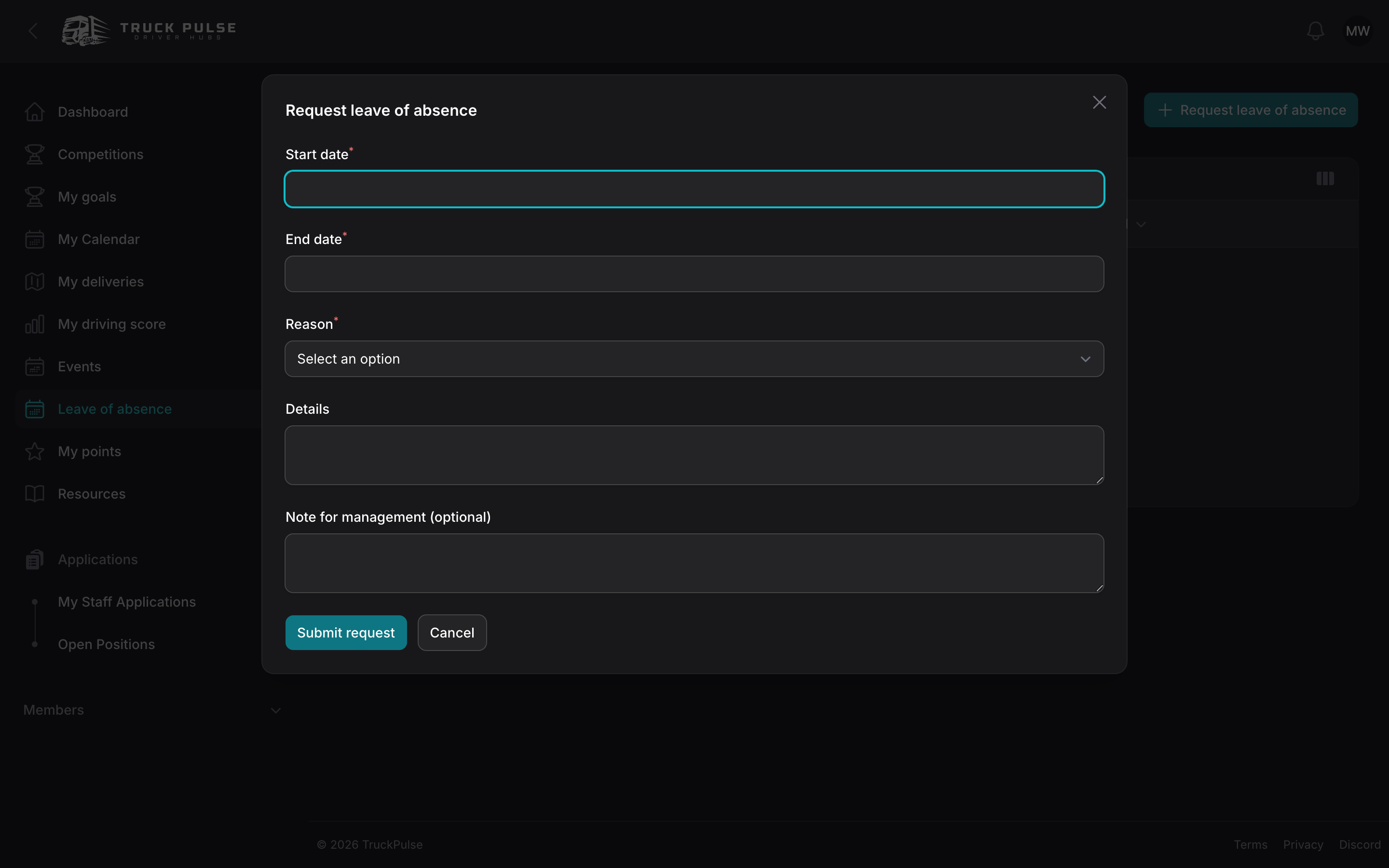
In the driver panel, drivers open Leave of absence and choose Request leave of absence:
- Pick the Start date and End date.
- Pick a Reason from your Hub's categories (the defaults are Holiday, Illness, Work, Family, Other).
- Optionally add a Note for management.
The request is validated against your Hub's rules — minimum notice, maximum duration, how many leaves a driver may take per year — with a clear message when something doesn't fit. If you've turned on auto-approval for short requests, a leave under your threshold is approved on the spot; everything else waits as Pending. A driver can cancel a pending request themselves, and — if you allow it — end an in-progress leave early when they're back sooner than planned.
Reviewing requests
In the Hub panel, go to Members → Leave of absence. The queue lists each request with the member, dates, reason, status and who decided it. On a pending request:
- Choose Approve or Deny.
- Optionally write a Message to the driver — leave it blank to use your Hub's default wording (editable on the message templates page, see /admin/notifications).
The driver is notified of the decision through their preferred channels, and the request can also be announced to a Discord channel if you've routed LOA events — see /integrations/discord.
Requests can also be decided from Discord with /loa approve and /loa deny — see
slash commands.
The team calendar
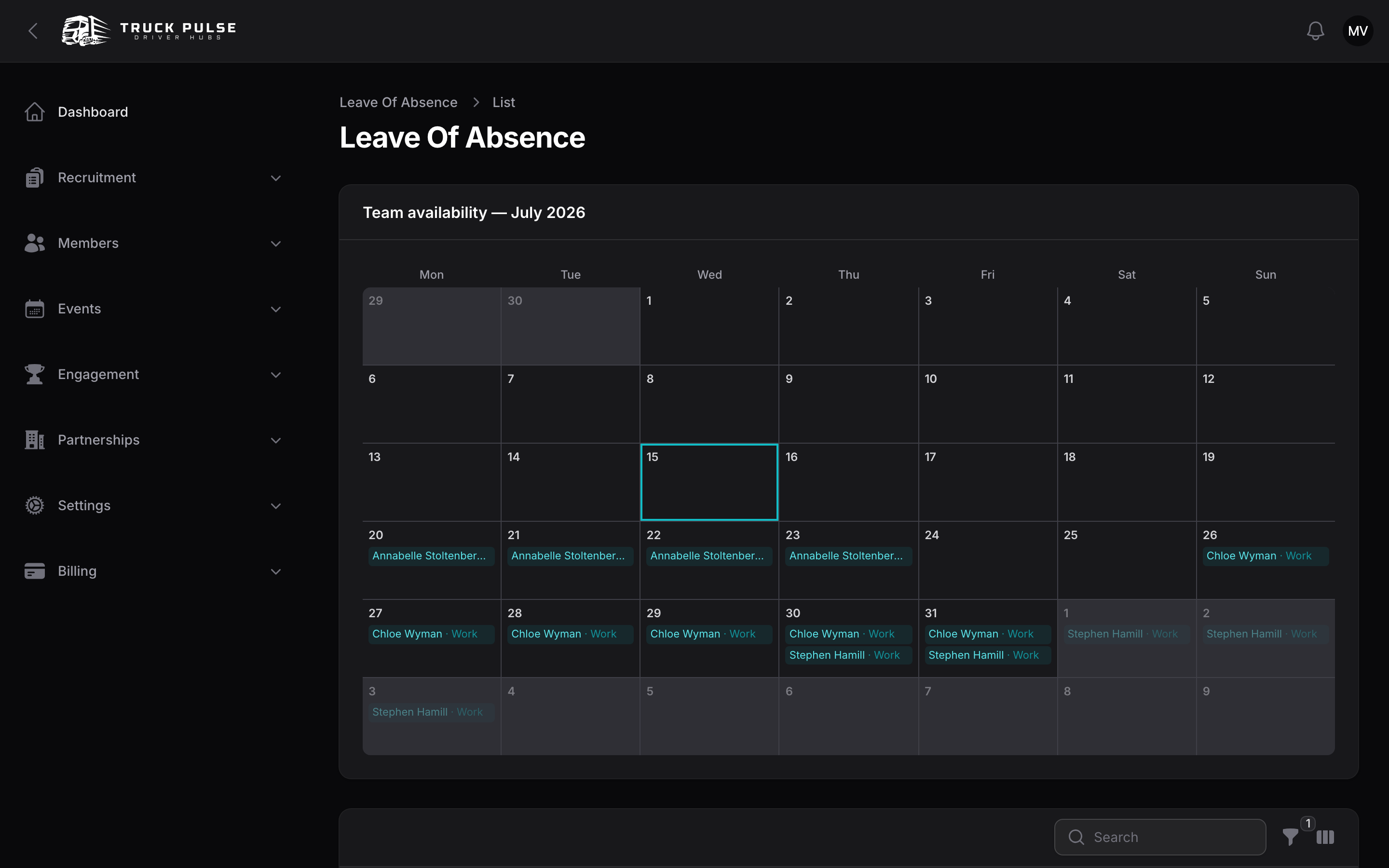
Above the queue sits the team availability calendar: a month grid of who is on approved leave when, in your Hub's timezone. Pending and denied requests never appear — only what you've approved.
Whether the grid shows each leave's reason category, or just the dates, is the Team calendar visibility setting. Choose Dates only if reasons should stay between the driver and staff.
LOA settings
Go to Settings → Leave of absence in the Hub panel (needs the update-settings permission):
| Setting | Default | What it does |
|---|---|---|
| Minimum notice (days) | 3 | How far ahead drivers must request leave; 0 allows same-day requests |
| Maximum duration (days) | 30 | Longer breaks need a fresh request when this runs out |
| Maximum leaves per year | 4 | Lower this if a few drivers chain one leave into the next |
| Reason categories | Holiday, Illness, Work, Family, Other | The reasons drivers pick from — edit them to match how your Hub talks |
| Auto-approve short requests | Off | Skip staff review for short leaves |
| Auto-approve under (days) | 3 | Requests shorter than this are approved on the spot when auto-approval is on |
| Let drivers cancel an in-progress leave | Off | A driver back early can end their own leave |
| Team calendar visibility | Dates and reason | Or Dates only |
Leave and the rest of your Hub
An approved leave is more than a calendar entry:
- Points decay — if your Hub decays idle balances, the Pause decay for members on leave setting (on by default) skips drivers on approved leave, so nobody is penalised for being away. See /admin/points.
- Event calendar — approved leave appears as an overlay on the events calendar, so you see availability while planning convoys. See /admin/events.
- Notifications — drivers get a Leave of absence decisions notification when their request is decided; the wording is editable per Hub. See /admin/notifications.
Related guides
- /driver/loa — the driver's side of requesting leave
- /admin/points — the decay pause for members on leave
- /admin/billing — which plan includes leave of absence