
Billing & limits
What each plan includes, how limits work, and where to upgrade and find your invoices.
The plans
Every Hub runs on one of three tiers. Free is the baseline every Hub already has; paid tiers add features and raise limits.
| Free | Pro | Elite | |
|---|---|---|---|
| Drivers | 30 | 150 | Unlimited |
| Events per month | 20 | 50 | Unlimited |
| Custom Discord bot | — | ✓ | ✓ |
| Leave of absence | — | ✓ | ✓ |
| Discord slash commands | — | ✓ | ✓ |
| Resources dashboard | — | ✓ | ✓ |
| Custom domain | — | — | ✓ |
| Slot booking | — | — | ✓ |
| Staff applications | — | — | ✓ |
| Driver reports | — | — | ✓ |
| Top-of-directory placement | — | — | ✓ |
Pro comes with a 14-day trial that needs no card.
The Billing page
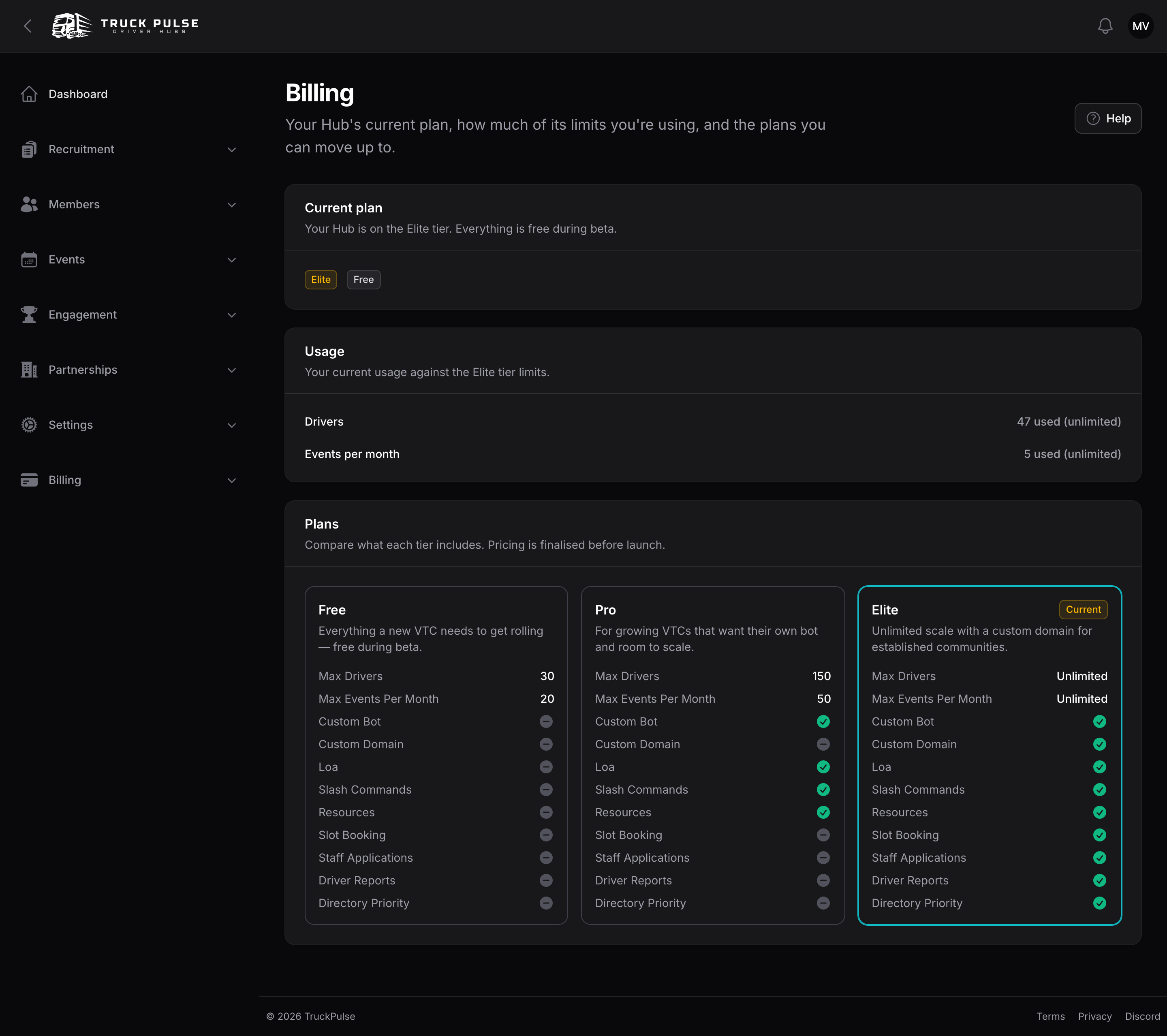
Billing → Billing in the Hub panel shows three sections:
- Current plan — your tier and billing status at a glance.
- Usage — how much of each limit you're using (for example
24 / 30drivers), with a progress bar that turns amber near the cap. When you've reached a limit, an Upgrade to unlock more link appears. - Plans — the full comparison above, with your current tier highlighted.
Seeing this page needs the "View billing" permission; changing the plan needs "Manage billing". The Hub owner has both — see Roles & permissions.
How limits behave
- When a limit would be exceeded — approving a driver past your driver cap, scheduling an event past your monthly event cap — the action is blocked with a friendly explanation and an upgrade prompt. Nothing already created is ever touched.
- At 80% of a cap, the Hub owner gets a heads-up notification so the limit never surprises you.
- If a payment fails, your Hub enters a grace period: your tier stays active and everything stays readable, but changes to gated features are paused until payment is sorted. Your data is never deleted over billing.
Upgrade your plan
- Go to Billing → Billing and find the tier you want under Plans.
- Press Choose Pro or Choose Elite.
- You're taken to checkout, where you can pick monthly or yearly billing and pay.
Your new features and limits apply as soon as checkout completes. You can also compare plans from the setup wizard's Plan step — see Getting started.
Manage the subscription
The rest of the Billing sidebar group covers the paper trail:
- Subscriptions — view your subscription, change plan, add a discount code, or cancel. Cancelling keeps your paid tier until the end of the billing period.
- Orders — your checkout orders.
- Payments — every payment, each with a See Invoice action that generates a downloadable invoice. If your Hub's address details are incomplete you'll be prompted to fill them in first so the invoice is complete.