
Points & ranks
How deliveries, events and awards earn you points, where to watch your standing, and how promotions work.
Points are how your Hub recognises activity, and ranks are what they add up to. Every Hub sets its own amounts and ladder, but the way you earn and track them is the same everywhere.
How you earn points
Your points come from a per-Hub ledger, and every entry shows where it came from:
- Trucky job — a tracked delivery. Each Hub sets the amount, often scaled by distance. (Set up your tracker if you haven't.)
- Event attendance — staff record who actually showed up to a convoy or event, and attendance pays out. (An RSVP alone doesn't — you have to be there.)
- Manual award — staff recognise something directly: a training completed, a goal reward, a job well done.
Some Hubs also use point decay (points fade when you're inactive) and staff can make corrections; those show in your history as Decay and Adjustment.
Your Hub can also take points away. Common penalties are for driving incidents on a delivery — speeding, collisions, fines — and for Event no-show: RSVPing going and then not turning up. Each shows in your history as a negative entry with the rule's name as the reason. Penalties lower your balance but never your lifetime earned, and unless your Hub says otherwise they won't take you below zero. If you're on an approved leave on the day of an event, you're usually excused.
Where to see your points
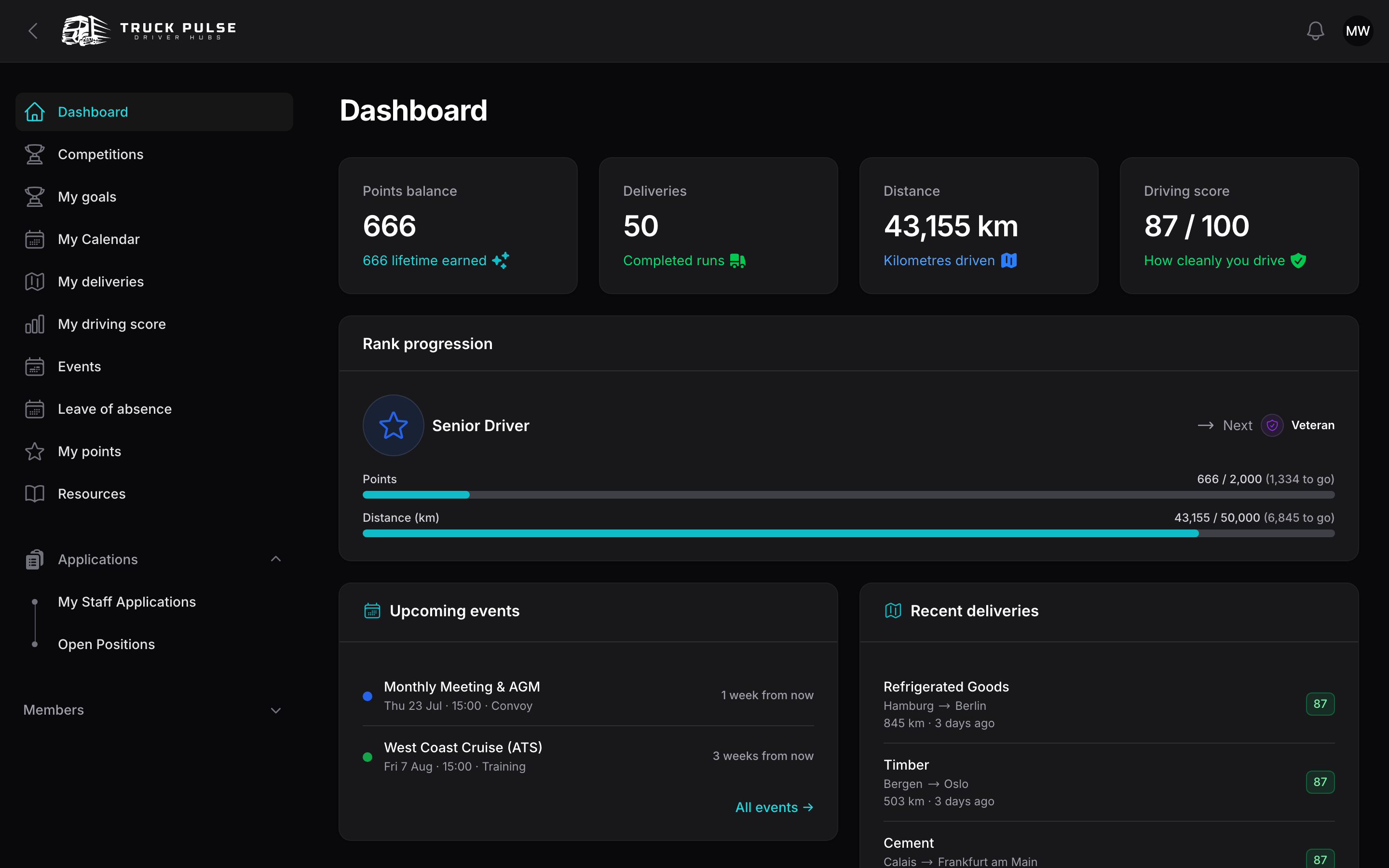
Your dashboard greets you with the headline numbers — Points balance, Deliveries, Distance and Driving score — plus your recent points and the Hub leaderboard.
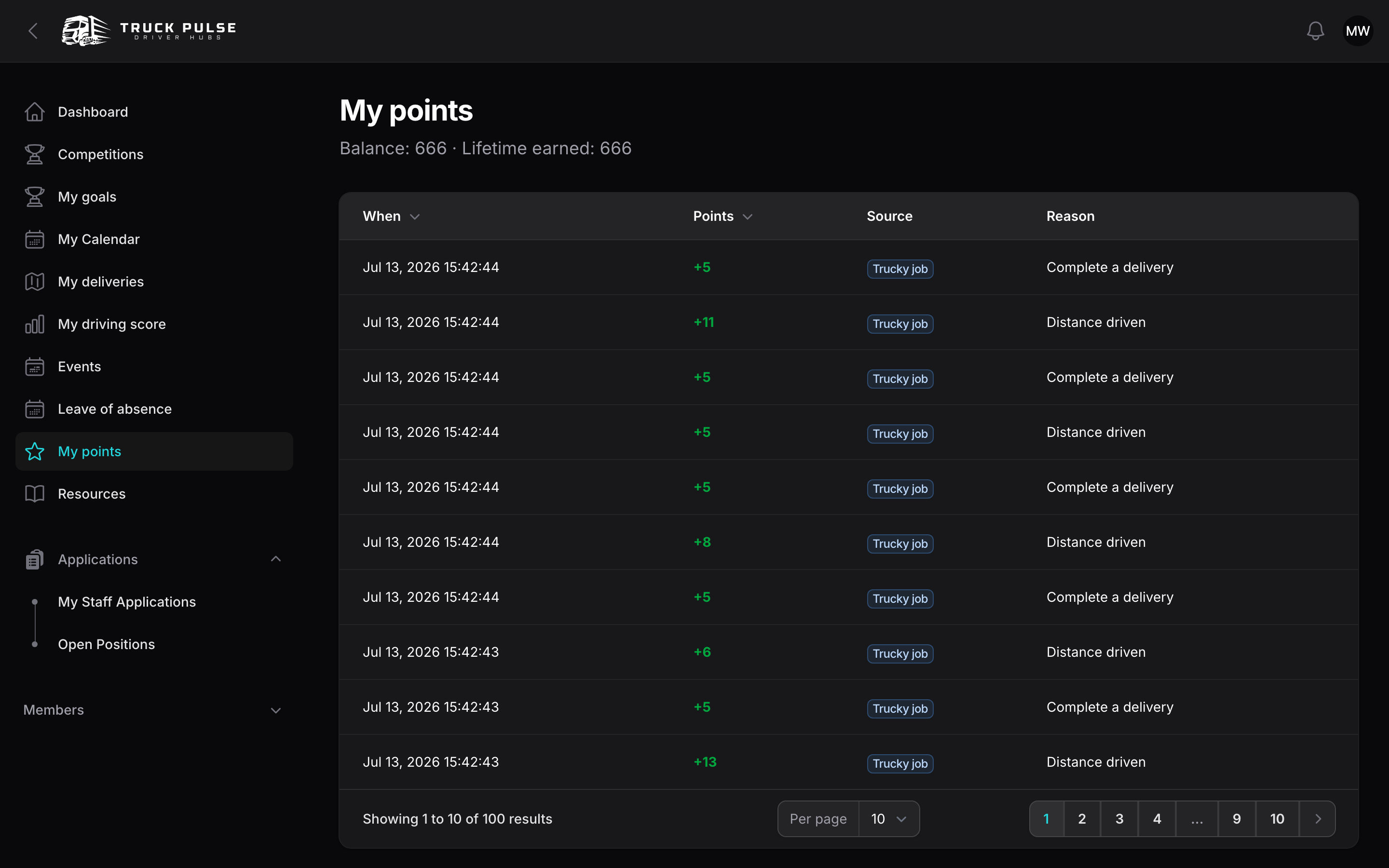
For the full story, click My points in the sidebar: your balance and lifetime earned, above every entry with its date, amount, source and reason.
Competitions
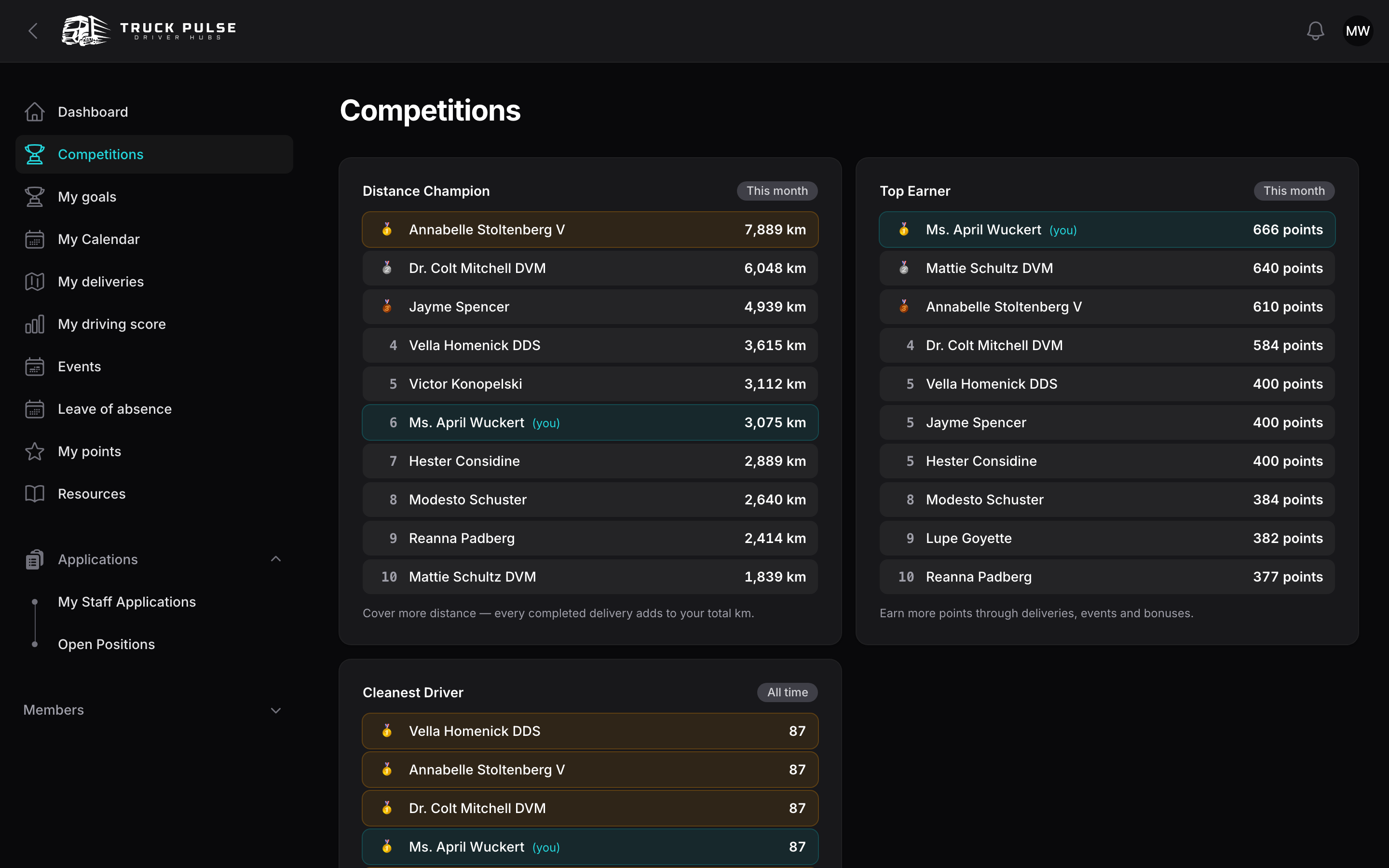
If your Hub runs competition boards, a Competitions page appears in your sidebar. Each board crowns a different kind of driver — Safest Driver, Top Hauler, Most Deliveries, Top Points, Cleanest Driver — over this week, this month or all time.
Each board shows the podium, the top ten, and your own position — even when you're outside the top ten, so you always know how far there is to climb. Your dashboard's Your competition standings card keeps your placings in view day to day.
Ranks & promotions
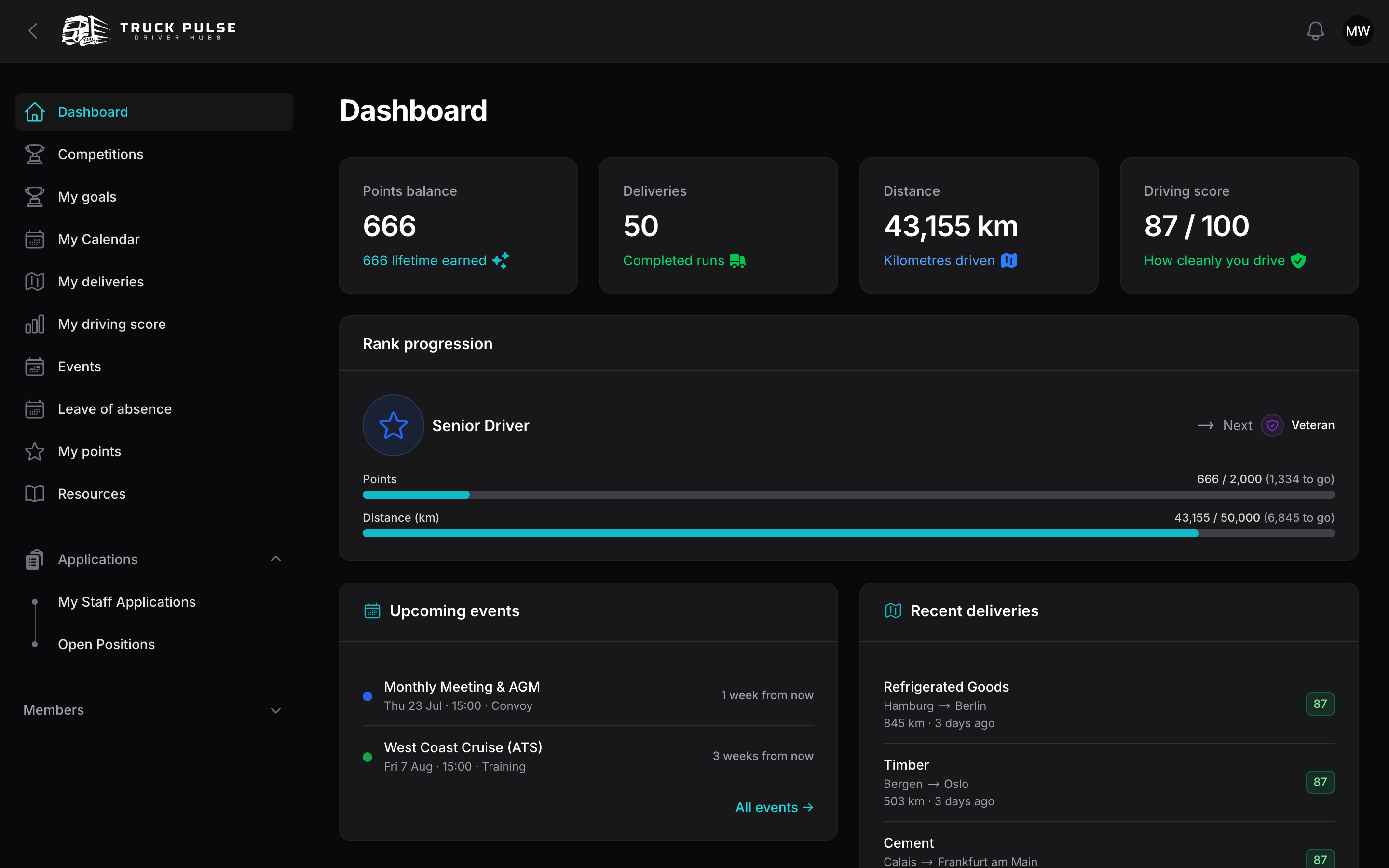
Hubs define a rank ladder — the tiers you climb as you drive. Your dashboard's Rank progression card shows your current rank and progress bars toward the next tier; depending on the Hub, thresholds can be points, kilometres driven, deliveries, or a mix.
When you cross the next tier's thresholds, one of two things happens, per your Hub's setup:
- Automatic promotion — your new rank is applied on the spot.
- Staff approval — your promotion is queued for staff to confirm.
Either way you get a notification when your rank changes, and if your Hub links roles to Discord your Discord role updates too. Some Hubs also demote when a balance drops below a rank's threshold — others never demote; that's the Hub's call.
Going away for a while? Request a leave of absence so quiet weeks don't count against you.