
Track your deliveries
Install the Trucky tracker, watch your deliveries roll into your Hub automatically, and understand your driving score.
A delivery tracker rides along in ETS2/ATS and logs every job you complete — cargo, route, distance, damage — and sends it to your Hub automatically. No screenshots, no forms: just drive.
Most Hubs use Trucky. Your Hub's staff connect the company once (see the Trucky setup guide); as a driver you only install the app and drive. Truck Pulse also supports TruckersHub as a tracker — if your Hub uses it, install the TruckersHub client instead and everything below still applies.
Install the Trucky tracker
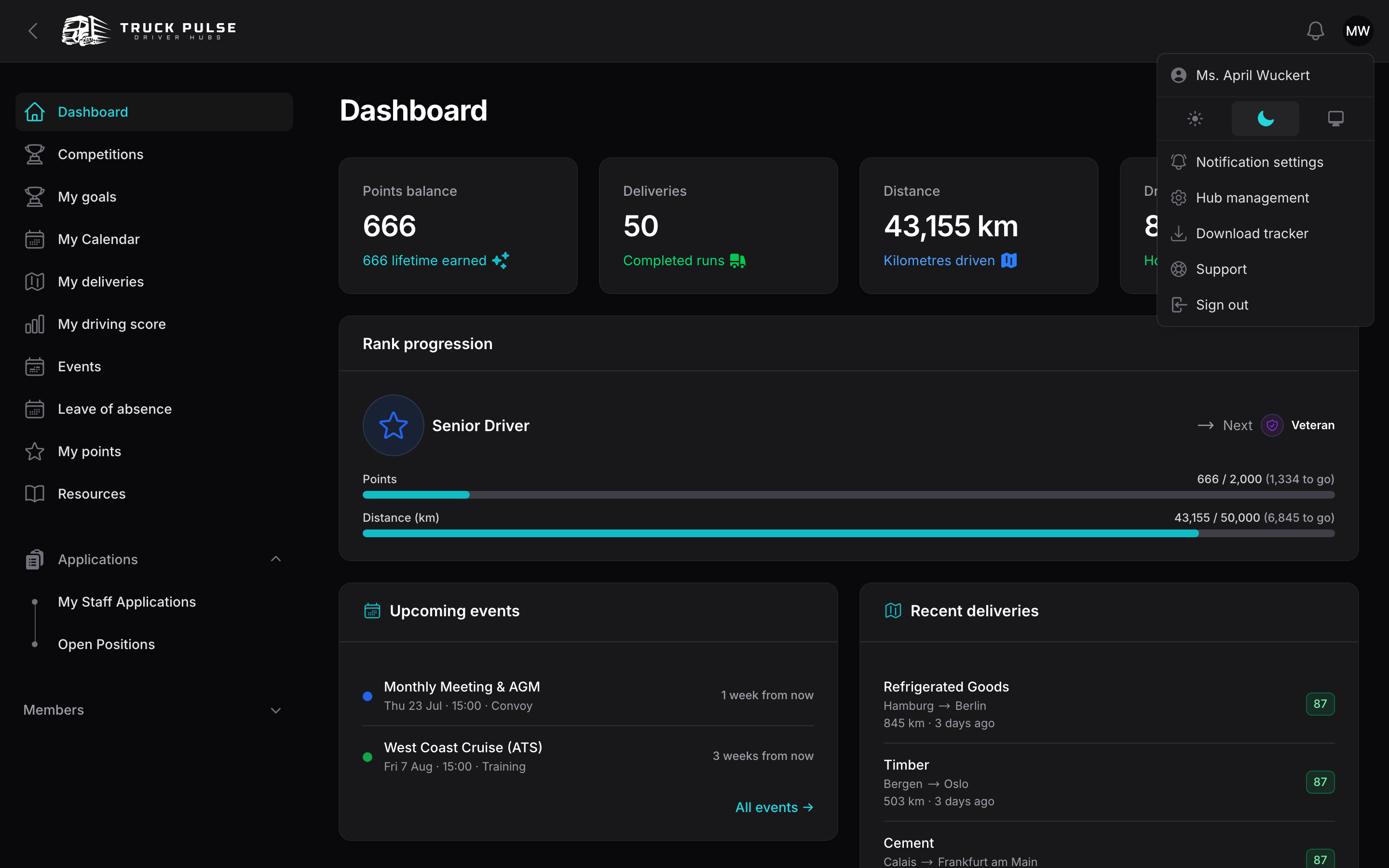
- In your driver panel, open the avatar menu in the top-right corner and choose Download tracker. It takes you to your Hub's tracker download page — for Trucky, the Trucky desktop app.
- Install the Trucky app and sign in with your Trucky account.
- Join your VTC's company on Trucky — your staff team will tell you the company name or send an invite.
- Launch ETS2 or ATS with the Trucky app running. That's it — finished jobs are sent to your Hub the moment you deliver.
📷 Screenshot coming soon — the Trucky desktop app running alongside the game.
Deliveries are matched to you by your Steam account, which is why Steam is your Truck Pulse sign-in. If a delivery ever shows up unmatched, your staff team can link it to you — and every job after that matches automatically.
If the avatar menu says Choose your tracker instead, your Hub lets each driver pick: open My Profile, choose Trucky or TruckersHub under Delivery tracker, and save. Only jobs from your chosen tracker count.
Your deliveries in the Hub
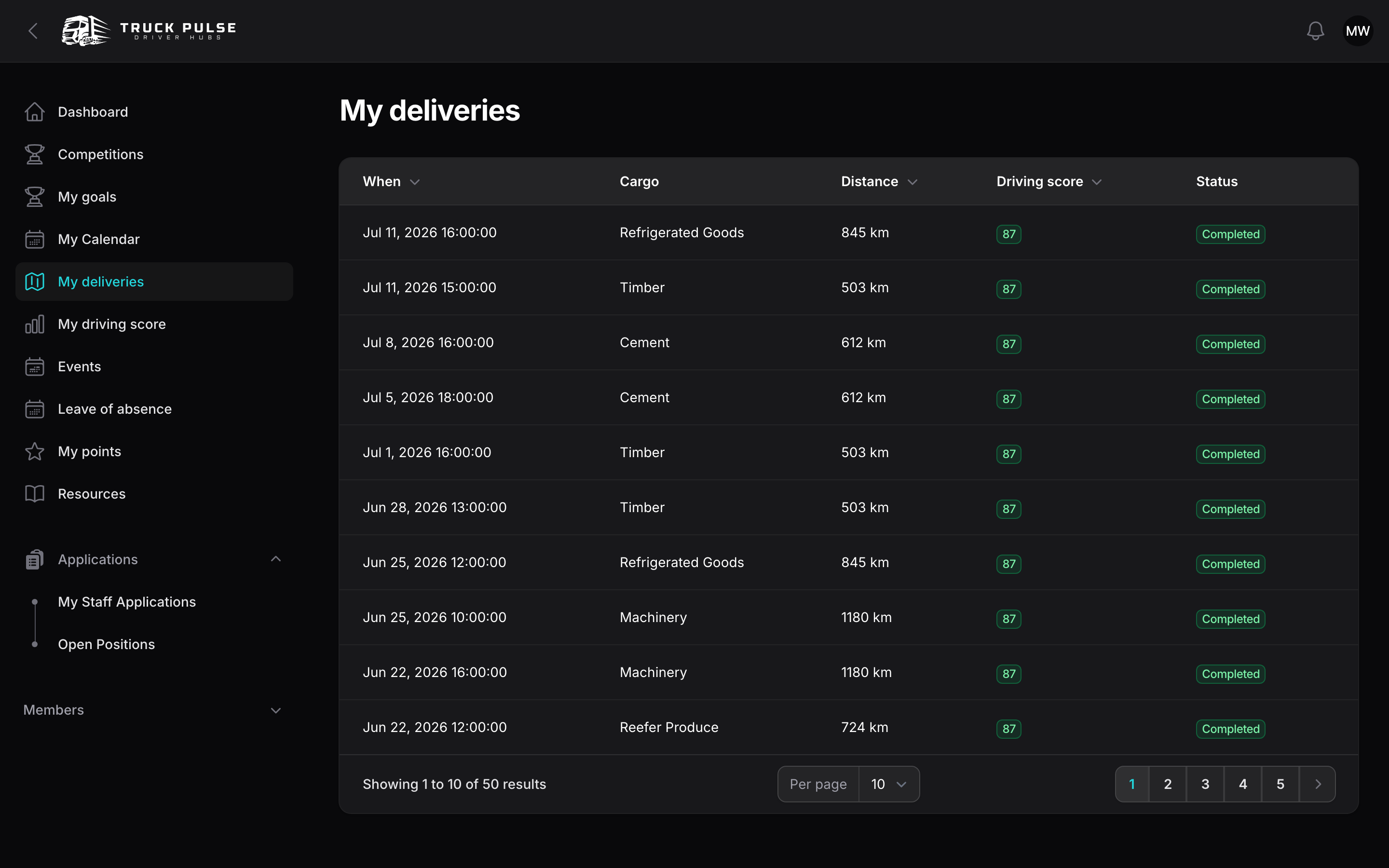
Click My deliveries in the sidebar to see every run you've logged in this Hub — when, cargo, distance, driving score and status, newest first.
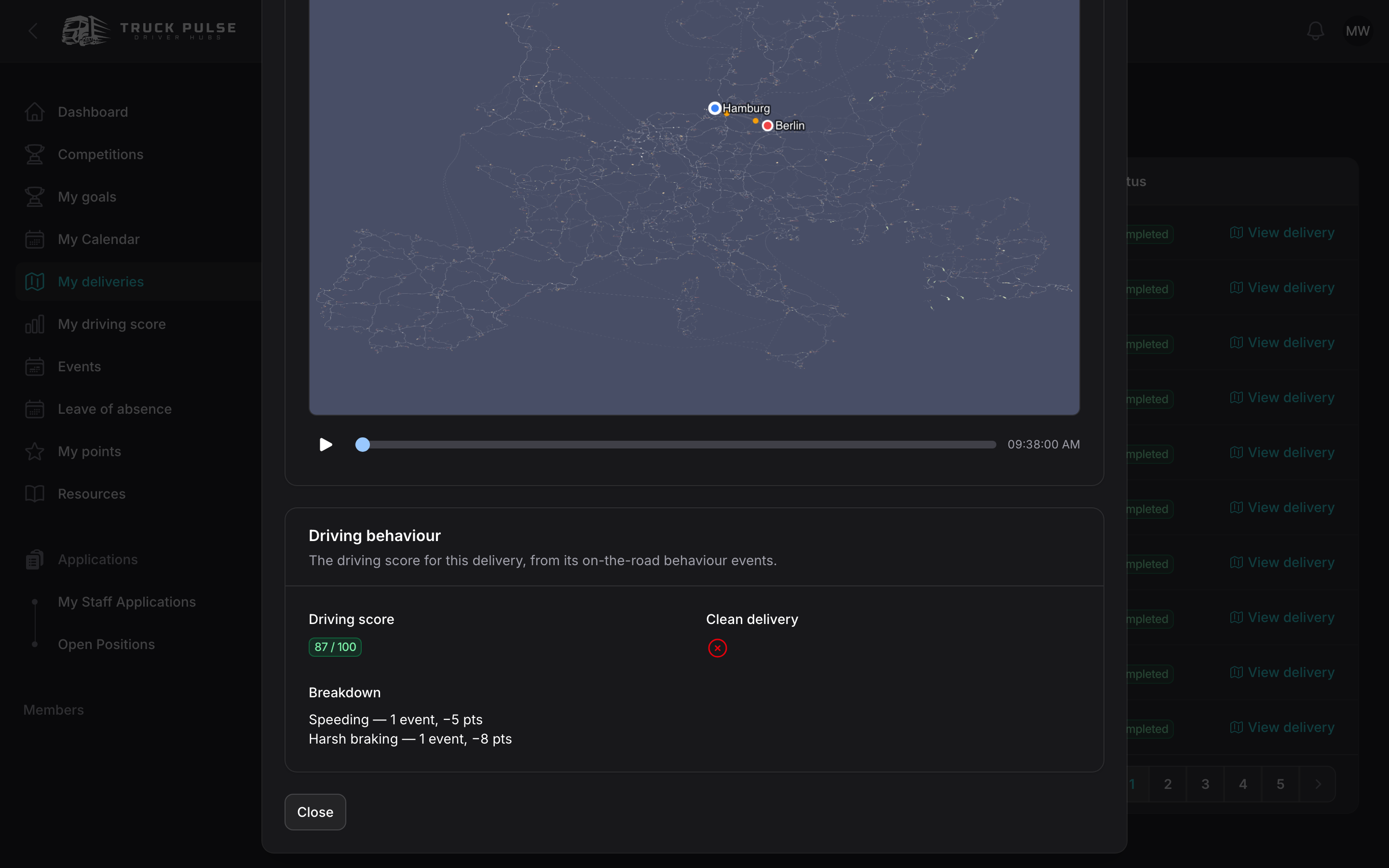
Many Hubs also turn on the full detail view: click View delivery on a row for the complete job sheet — route, vehicle, earnings, fines — plus a replay of your route drawn on the game map that you can scrub through.
Your driving score
Every tracked delivery is scored from 0 to 100 for how cleanly you drove it. Your My driving score page shows your average across scored deliveries, your clean runs, and Where you lose points:
- Speeding — driving over the posted limit
- Collisions — hitting traffic, scenery or another driver
- Harsh braking and harsh acceleration
- Fines, damage and fatigue
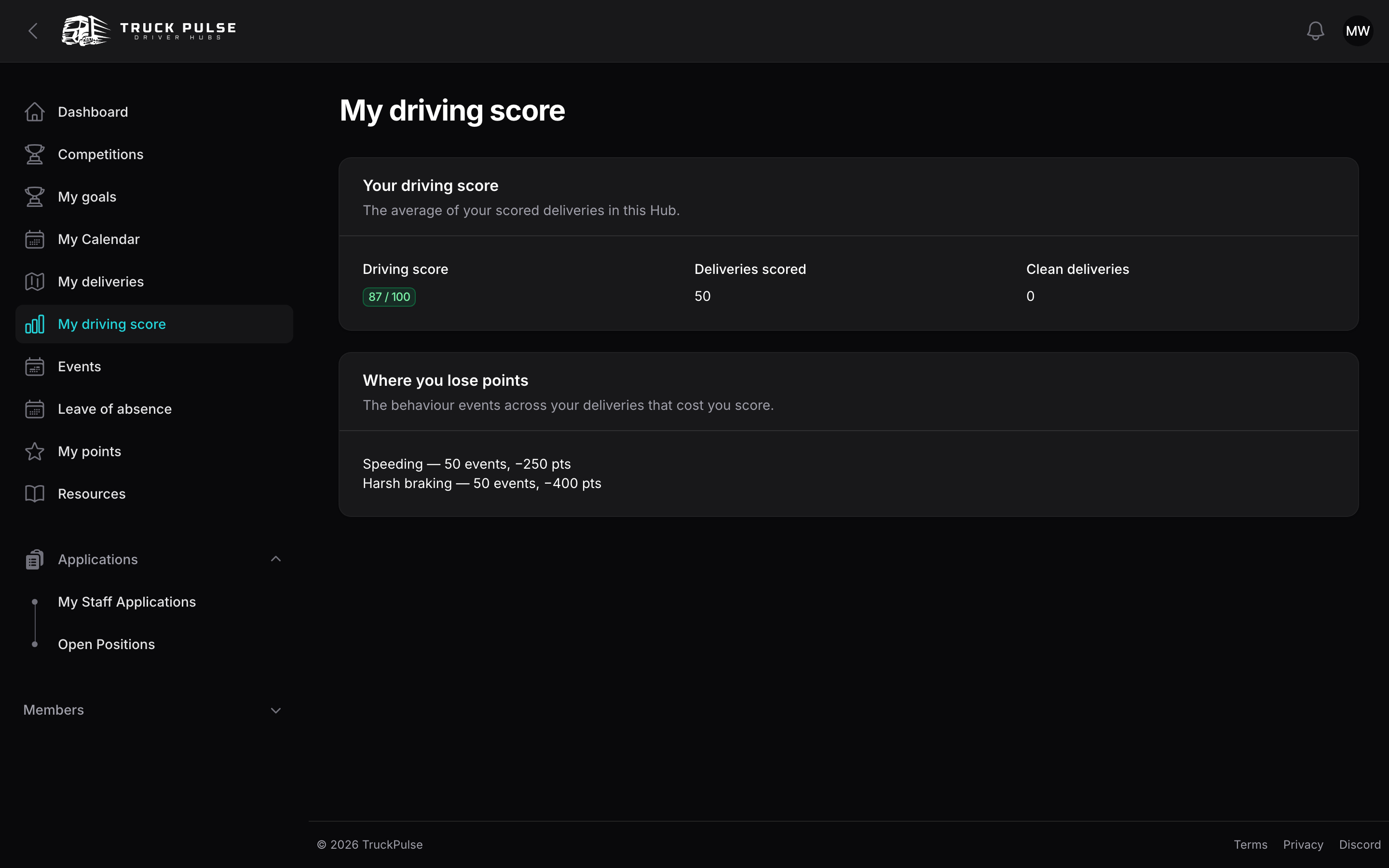
85 and up shows green — smooth, professional driving. Each Hub tunes how strictly the factors are weighed, so the same run can score differently in different Hubs.
Deliveries do more than fill a logbook: they earn you points, ranks and competition placings.